Consolidating IAM without disruption

authentik is an open source Identity Provider that unifies your identity needs into a single platform, replacing Okta, Keycloak, and Ping. Authentik Security is a public benefit company building on top of the open source authentik project.
Every identity environment we've seen looks the same after a few years: too many directories, too many login screens, and nobody who can say with certainty who has access to what. Nobody designs it this way. It emerges over time.
This post is a practical playbook for pulling IAM together: how to decide what to consolidate, retire, or leave alone, where the real friction lives, and how to modernize legacy identity without a single disruptive cutover.
Fragmentation is an inevitable byproduct
If you inherited a messy identity environment, you're not alone. Fragmentation is what happens naturally as an organization grows, and it tends to arrive from four directions at once:
- Legacy apps — on-prem directories that pre-date the cloud and were never meant to talk to anything outside the building.
- Cloud & SaaS — every new service showing up with its own login, its own user groups, its own features and limitations.
- Acquisitions — whole identity stacks and teams inherited overnight, complete with their own quirks and technical debt.
- YOLO — teams standing up whatever they needed, whenever they needed it, because waiting for a centralized solution wasn't an option.
None of these are bad decisions in isolation, but they add up to a tangled web of user directories and partial IAM solutions.
The real cost isn't just the SaaS invoice
Fragmentation is expensive in ways that don't show up cleanly on a bill:
- Harder to maintain. Every platform has its own upgrade path, its own on-call rotation, and its own unique set of failure modes. Multiply that by however many identity systems you're running, and you've got a permanent tax on your engineering org.
- Harder to secure. Inconsistent policies across systems, orphaned accounts that nobody remembers creating, and no single view of who actually has access to what, leading to needlessly complex systems and breaches.
- More expensive to run. Duplicate users mean duplicate licenses stacked on top of each other, and licenses are rarely the only cost. The real cost is the time spent keeping all of it alive.
The largest line item is almost never the SaaS invoice. It's the engineering hours spent babysitting fragmented systems. And the hardest cost to quantify — but arguably the most important — is the reputation cost of unreliable authentication. When login breaks, everything breaks, and your company's reputation suffers the fallout.
The goal: consolidation without rip-and-replace
You can't afford a "day zero" cutover for thousands or millions of users across dozens of critical systems. A hard switch is a single point of failure for everyone's ability to log in and access your systems.
The strategy that actually works is a seamless, gradual migration — standing up new systems alongside what already exists, testing them out, and migrating without surprises. Below is the step-by-step guide to implementing that strategy.
Step 0: Name your single source of truth
Before touching any migration tooling, pick the one place where user data must be accurate — the source of truth for every other system.
- Every other directory becomes a downstream consumer, not a peer.
- This source can change over the course of a migration, but there needs to be exactly one at a time.
For some organizations, this is simple: Active Directory is their source of truth, full stop. For others, especially those mid-acquisition or mid-migration, the source of truth might shift across multiple identity providers in a deliberate, multi-step process. Either way, name it explicitly before you do anything else.
Step 1: Decide what to consolidate, retire, or keep
Once you know your source of truth, sort every existing identity system into one of three buckets:
- Consolidate active systems with overlapping purpose — but only once you've confirmed feature parity in whatever remains. Don't consolidate away functionality people actually depend on. For our customers, this typically takes the form of a very detailed spreadsheet comparing the features and functionality of each system that are actually relied upon.
- Retire low-value, unmaintained systems in phases. Sunset them only after functionality and data have already been migrated elsewhere — never before.
- Keep the systems you genuinely can't remove yet. Integrate with them and automate the handoff instead; more on that below.
Your source of truth might be functionally limited, for instance if it's just a simple legacy directory. That doesn't mean your consolidated IAM system has to inherit those limitations. The target state can be far more capable than what you're migrating away from.
Step 2: Stand up a proven system before you migrate anything
This is the step most rip-and-replace horror stories skip. Before you migrate a single user, you need a tested, production-grade parallel path, not a leap-of-faith cutover.
In practice, that looks like:
- Build the consolidated system out in a test environment first.
- Then run it alongside production, in parallel — not replacing anything yet.
- Integrate it into your existing systems and let it carry real traffic before it ever becomes part of the critical path.
- Only migrate and consolidate once it's fully synced and proven.
Cloudflare is a good example of this process in practice. When they migrated to authentik in under three weeks, the first two weeks were spent standing up and testing a production-grade instance against every system and app in their environment, making sure all user and group data was fully synced. Once that instance had proven itself, employees were seamlessly redirected to authentik to authenticate as usual, allowing the previous provider to be retired.
Step 3: Keep user friction to a bare minimum
Every manual step you ask an end user to take is another hazard to a smooth migration — another support ticket, another point of failure, another reason people notice the change at all. The goal is for the migration to be invisible to the people going through it.
- Redirect login pages: Point existing login URLs at the new provider, so users do not need to learn a new address.
- Hand off sessions silently: Adopt existing user data and sessions, mapping attributes as needed without requiring any user action.
- Avoid re-enrollment: Do not require users to reset passwords, re-register MFA, or re-enter profile data; otherwise, the migration is no longer invisible.
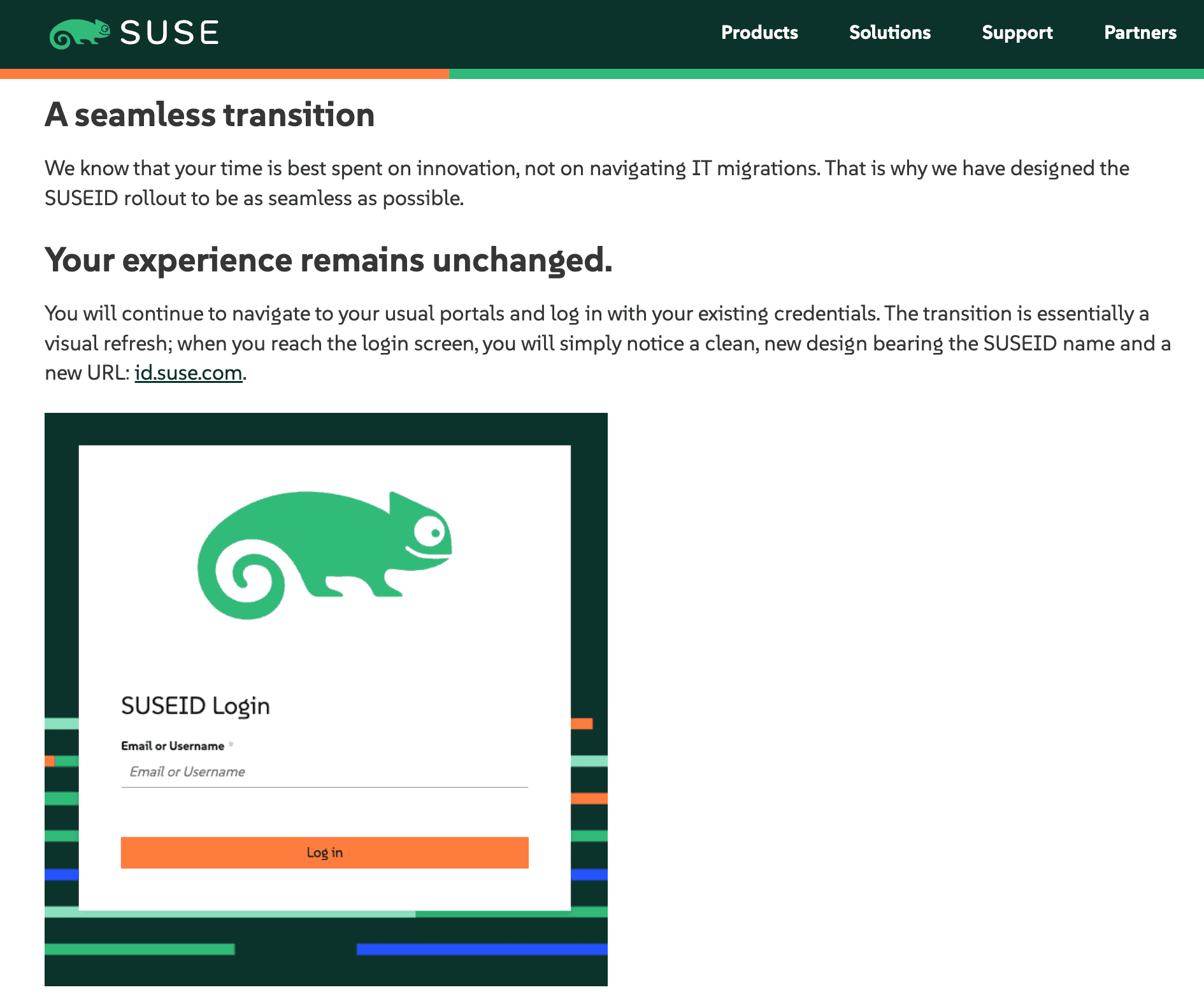
SUSE managed exactly this kind of transition for every customer, partner, and community member during their recent identity migration, with authentik tying everything together behind the scenes. The messaging to end users said it plainly:
"Your experience remains unchanged. You will continue to navigate to your usual portals and log in with your existing credentials."
The only visible change was a refreshed login screen and a new URL — everything else was invisible to the end user.
Step 4: When legacy has to stay, automate the seam
Some systems genuinely can't move, whether because of regulatory requirements, vendor lock-in, or because they're too deeply embedded to touch. In those cases, the goal changes: you’re not trying to get rid of the system — you're trying to get rid of the burden of maintaining it.
- Put APIs and automations in front of the legacy system to hand off user data cleanly.
- The legacy system stays exactly where it is — but the manual maintenance around it disappears. Even when a system doesn't support SSO, a modern identity provider should be able to layer on SSO with a reverse proxy in front of the legacy tech.
These sorts of limitations show up frequently with our customers in financial and healthcare spaces, where certain legacy systems and datastores are effectively immovable. Modern tooling can absorb the effort of interfacing with these systems through data mapping and automation, so the legacy system becomes a quiet dependency instead of an ongoing operational headache.
Step 5: Let modern tooling do the work
"We'd have to reconfigure hundreds of apps by hand" is the single most common blocker that teams cite when they consider consolidation. Good news: this is now a largely solved problem and much easier to handle than just a couple of years ago. This work should mostly be automatable and testable, not a manual slog.
- Automate SSO configuration: Configure hundreds of applications through scripts or by importing settings from an existing provider, rather than relying on error-prone ClickOps one login flow at a time.
- Provision and validate in staging: Use automation to identify configuration issues before they reach production. Agents can automate much of the work, but always validate the results before applying to production.
- Use APIs for everything: A modern identity platform should expose APIs for every core function, so you can retire the homegrown, manually maintained glue scripts built out of necessity.
Make the cost of the status quo impossible to ignore
Getting buy-in for a consolidation project is its own challenge, and often just as important to handle as the technical migration. Some strategies that we have seen work well:
- Start small: Motivate the change with a standalone project or an IdP backup solution — something low-risk, low-cost, and with a visible win attached.
- Prove, then expand: Show the new system working before asking anyone to bet the rest of the org on it. Grow its scope gradually and replace old systems as confidence builds.
- Make the cost obvious: Name the ongoing costs beyond the SaaS subscription line — system reliability and the engineering time spent keeping fragmented systems alive.
Swiss retailer On is a good illustration of the "start small" path. They first deployed authentik for their customer returns portal, an important but self-contained rollout. The success of that project gave their team the evidence they needed to demonstrate the value of a full IAM replacement to management. From there, they were able to grow the deployment into a consolidated identity system that will serve millions of user accounts.
What consolidation success actually looks like
If you get all of this right, the end state looks like:
- A single source of truth: Reflected consistently everywhere else.
- An invisible user experience: No re-enrollment, no new URLs to memorize, and no support tickets asking why login broke.
- A clear business case: The real cost of the status quo is visible beyond the SaaS subscription line.
- A proven migration path: No hard cutovers or leap-of-faith weekends.
- Automated legacy operations: Systems that cannot move do not need a dedicated team babysitting them forever.
Consolidation doesn't have to mean disruption. Done right, the change is invisible to the people who depend on it every day — and that's exactly the goal.
We have helped hundreds of users and organizations consolidate their IAM stacks. If you are ready to take control of your identity and access needs, get in touch with our team.